
A guide to setting up effective Slack feedback digests
Feedback is like the heartbeat of any SaaS. But collecting it is just the first step. Getting that feedback in front of your team, fast, is where real progress happens. In my experience, nothing matches the focus and convenience of a well-executed Slack feedback digest. As someone who has helped many indie SaaS builders find their voice and keep users happy, I want to share a step-by-step approach to making your Slack digests clear, actionable, and even a little inspiring.
Why feedback digests matter for small SaaS teams
For founders and small product teams, decision-making cycles are short. You’re shipping, iterating, and sometimes pivoting weekly. What your users shared on Monday might shape what you build on Wednesday. I’ve seen too many teams lose sight of trends simply because feedback gets buried.
Slack feedback digests keep the feedback “pulse” top of mind.
Thrilled, for instance, was built with this exact need in mind, making it easy for teams to get their user sentiment data delivered right to Slack every week, with actionable highlights—no extra dashboards or hunting for emails required.
How a feedback digest should feel
When I talk about “effective” Slack digests, I don’t mean a wall of copied survey responses. The best digests share:
- Trends (Is your Net Promoter Score rising or falling?)
- Top categories or themes (Are users asking for a specific feature?)
- Urgency cues (Are there new areas of concern or potential churn?)
- Notable quotes or insights (Short, powerful user voices that stick with you)
- Action items—what you should act on now, not “more stuff to read”
Thrilled's AI-powered Slack digests deliver on this. Each week, you get a summary like this:
NPS: 47 (↑ 5 from last week). Top category: Feature Requests (41%). Notable quote: “The dashboard is great but I wish I could filter by date range.” Action items: 1) Investigate billing page stability, 2) Add date range filter to dashboard, 3) Follow up with high-urgency detractors.
That is clarity. That is fuel for a Monday standup.
Setting up Slack feedback digests: My step-by-step
1. Choose your channel with intention
I’ve seen teams drop feedback into #general—and watch everybody ignore it. Instead, create a dedicated #user-feedback or #nps-digests channel. Invite only those who actually need the signal: founders, product, growth, support. This keeps the noise low and the signal strong.
2. Automate the delivery
Manually copying and pasting feedback is a burden nobody wants. With Thrilled, once you connect your Slack workspace, the weekly digest drops every Monday morning at 8am, exactly when you want to plan your week.
You don’t have to remember—it just happens. Automation like this helps create a feedback habit without extra effort.
3. Make summaries scannable
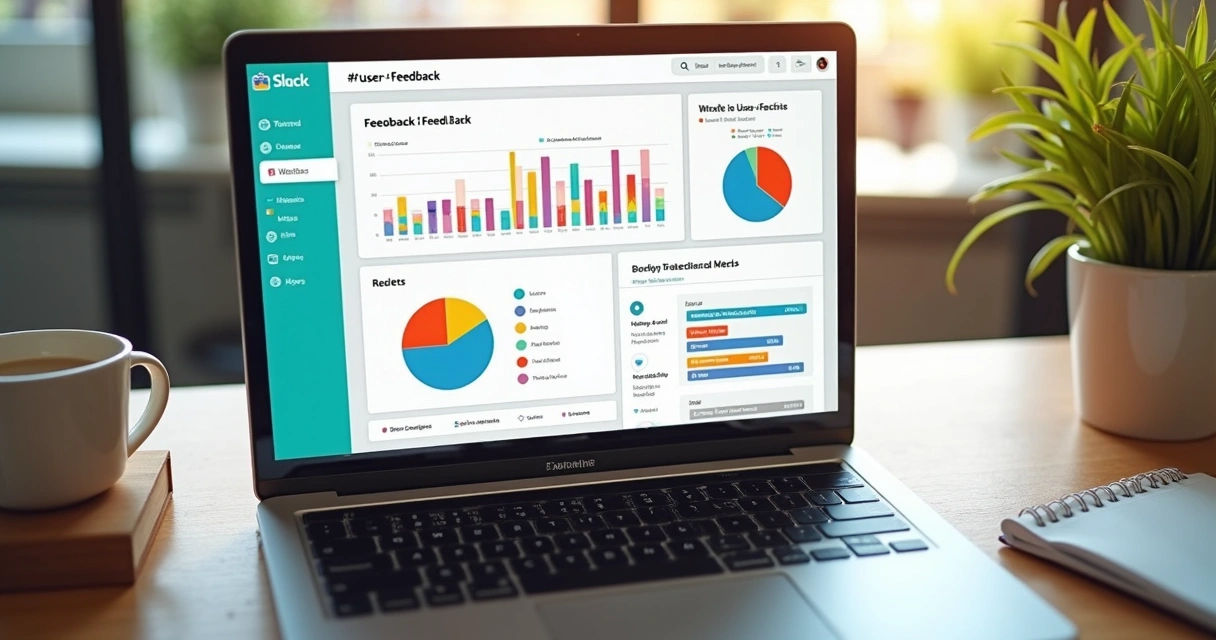
An effective Slack digest needs to be readable at a glance. I always recommend:
- Prominent NPS score with a clear trend marker (examples: green up, red down)
- Three bullet highlights: the most-requested feature, a pain point, and one high-urgency comment
- AI-generated action suggestions—it’s not about “more data,” but “what matters today?”
Thrilled’s formatting for Slack digests uses color cues (green for good, amber for watch, red for urgent), and includes meaningful quotes and clear actions, not just raw numbers.
4. Keep context, but avoid clutter
I learned early on that quoting full user responses clutters a Slack digest. Instead, summarize recurring themes, give one memorable quote, and let urgency or category tags do the talking. Encourage your team to hit “open dashboard” only if they truly need detail. This fits the builder-first mindset: protect attention, avoid overwhelming your makers.
5. Act and reply in Slack
It’s not enough to just “see” feedback. I always recommend pinning action items in the digest, assigning a next step, and even following up with users who left urgent feedback. With Slack’s reply features, discussion stays right with the feedback—no searching through email threads.
Fine-tuning your Slack digest for your SaaS
After seeing many iterations, I noticed some simple tweaks make a big difference:
- If your audience is mostly technical, show the “why” behind user suggestions—not just what was said, but what’s missing or broken.
- For teams over 10 people, tag relevant members (like @product or @engineering) in action items to drive accountability.
- Rotate one team member each week to scan the digest and propose a prioritized task list.
- Set up threads for follow-up conversations to avoid pinging the whole group with every reply.
This iterative approach keeps your team actively listening, not just passively observing feedback trends. For more on how these principles drive SaaS growth, check out topics like SaaS feedback insights and analytics best practices.
Design and formatting tips for Slack digests
I care a lot about how information looks when it hits Slack. Here’s what works best in my experience:
- Big, clear headline at the top: “Thrilled Weekly Digest · Mar 1–7”
- NPS score and trend are first—always put the most actionable metric up front
- Key bullet points, never paragraphs, for trends and actions
- Limit to 2 or 3 notables per week—forced brevity sharpens focus
- Include a single call-to-action button (like “Open Dashboard”) and nothing else
Too much formatting, noise, or CTAs just distracts from the core message. Teams trust thrived digests because they’re concise.
Making feedback part of your company culture
One thing I’ve witnessed over and over: Slack digests only deliver on their promise if leadership acts on the intel. Every founder I work with who reviews digests regularly and openly decides on the next steps will see a shift. User focus stops being a checkbox and starts being a habit.

Real progress happens when feedback surfaces at the right time, for the right people, with a next step.
If you want inspiration on listening to users and acting fast, check out real stories and how-tos in user retention and customer experience categories.
Conclusion
In my research, I repeatedly saw that a well-built Slack feedback digest becomes the backbone of modern SaaS product culture. It’s about keeping your user’s voice in your workflow, every week, with just the right amount of focus and clarity. If you want user retention, better product intuition, and a more motivated team, this is the step you should not skip.
Ready to sharpen your feedback systems and keep your finger on customer sentiment? See how Thrilled handles Slack weekly digests—and start bringing actionable user insight directly into your team’s Slack, where real product improvements begin. You can read more on these themes in this in-depth post about feedback culture in SaaS.
Frequently asked questions
What is a Slack feedback digest?
A Slack feedback digest is a structured summary of user feedback, typically delivered to a specific Slack channel on a scheduled basis. It highlights trends, urgent issues, and actionable insights so teams can stay closely aligned with user sentiment without leaving Slack.
How to set up Slack feedback digests?
To set up Slack feedback digests, first choose a dedicated Slack channel for feedback. Next, use a tool like Thrilled to automate the collection and summarization of user feedback. Connect your Slack workspace, choose your delivery preferences, and let the digest arrive automatically each week. The setup involves just a script tag on your product and a quick Slack integration.
Are Slack feedback digests worth it?
Absolutely. From my perspective, they bring real-time customer insights into the daily workflow, making it much easier for SaaS teams to act fast on what users care about. They turn scattered feedback into team-aligned priorities and make user-driven product management part of your operating rhythm.
How often should feedback digests be sent?
Weekly is the sweet spot in my experience. It gives enough time for meaningful trends to develop, while still being frequent enough for teams to react quickly. Monday mornings work best—giving teams a focused start to the week with a single set of priorities.
Which Slack tools help with digests?
There are various tools for Slack digests, but I’ve seen the greatest impact with those offering automated, AI-powered summarization and action item generation—like Thrilled does for SaaS feedback. The key is having a tool that makes setup easy, formats for readability, and delivers not just responses, but clear direction.